> ## Documentation Index
> Fetch the complete documentation index at: https://docs.nuon.co/llms.txt
> Use this file to discover all available pages before exploring further.
# 035 - Runbooks and rendered READMEs
> Notebooks that define common actions you need so you've got a runbook for the next incident or upgrade
*June 1, 2026*
## Runbooks
Runbooks let you define a named, ordered sequence of steps, and run it in your customer's environment with confidence the actions are already proven.
The common use cases:
* on-call restart
* version upgrade
* database migration
Define runbooks as TOML files in a `runbooks/` directory in your app config. Each step is either a **deploy** (deploy a component, optionally with its dependencies) or an **action** (run an existing action, or a command defined inline):
```toml theme={null}
name = "restart-and-verify"
[[steps]]
name = "restart"
type = "action"
action_name = "deployments_restart"
[[steps]]
name = "verify"
type = "action"
command = "curl --fail --silent --retry $MAX_RETRIES https://{{ .nuon.inputs.inputs.subdomain }}.{{ .nuon.install.sandbox.outputs.nuon_dns.public_domain.name }}/"
timeout = "5m"
[steps.env_vars]
MAX_RETRIES = "20"
```
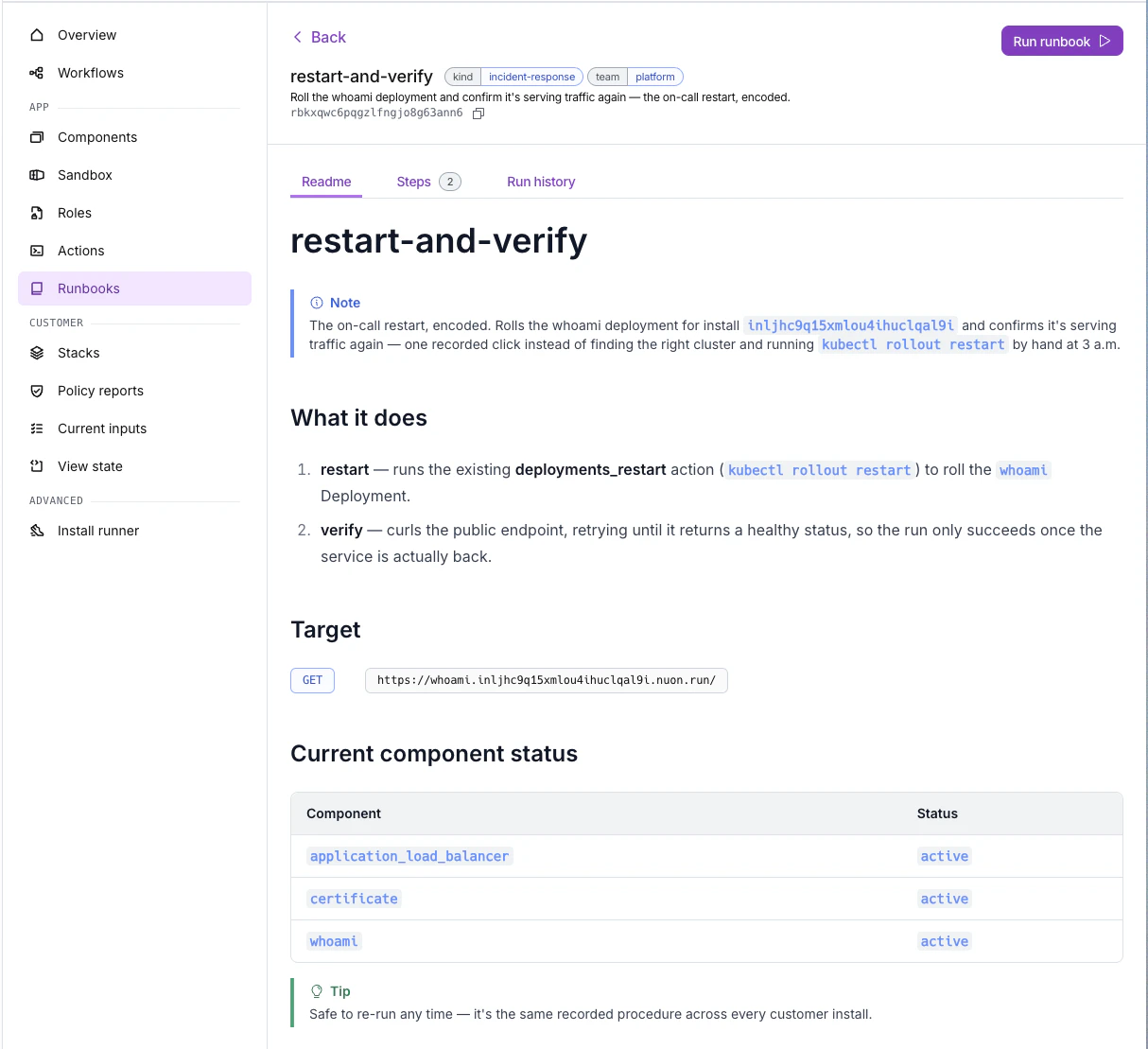
Trigger and watch runs from the new **Runbooks** tab in the dashboard, or from the CLI with `nuon runbooks --install-id `. See the [Runbooks guide](/guides/runbooks) for the full configuration reference.
See the [`programmable-runbook-and-readme`](https://github.com/nuonco/example-app-configs/tree/main/programmable-runbook-and-readme) example app config for a complete, runnable demo of runbooks and rendered READMEs together.
## Rendered READMEs
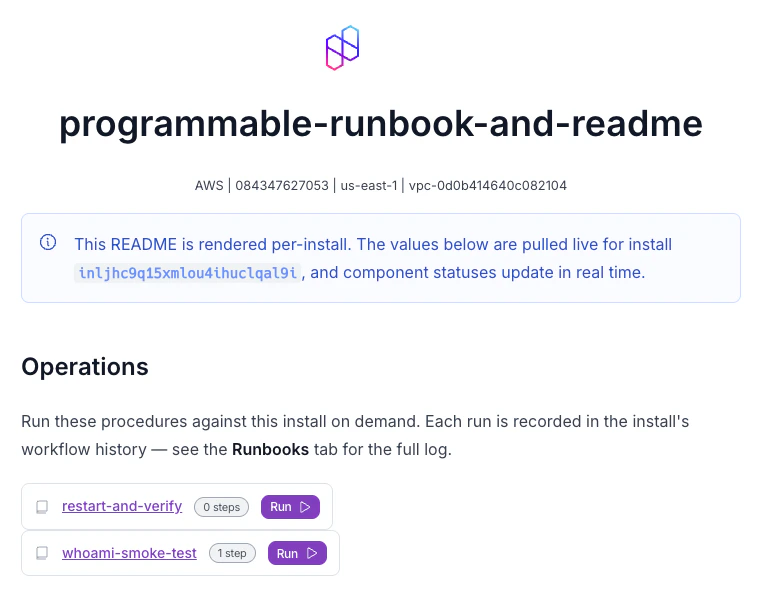
An install's README can be **rendered with information specific to that install**. Go template expressions resolve against the install's live values, so you get real URLs, IDs, and outputs.
Author READMEs as Markdown on:
* the app (the `readme` field in `metadata.toml`)
* individual [runbooks](/guides/runbooks) (each runbook's `readme` field)
See [Using READMEs](/guides/using-readmes).
## Sandbox auto-retries
[Sandboxes](/concepts/sandboxes) now support `max_auto_retries`, matching components. Transient failures self-heal without manual re-runs.
## Skip no-op deploys and auto-approve on passing policies
[Components](/concepts/components) and [sandboxes](/concepts/sandboxes) gained two new deploy-control fields in their config:
* `skip_noops`: when a plan comes back with no changes, skip the deploy step entirely instead of running (or waiting on approval for) a no-op.
* `auto_approve_on_policies_passing`: automatically approve a deploy when its policy checks pass, so only deploys that fail policy require manual sign-off.
Both default to off and can be set on a [Helm](/config-ref/helm), [Terraform](/config-ref/terraform), [Docker build](/config-ref/docker-build), or [Kubernetes manifest](/config-ref/kubernetes-manifest) component, or on the [sandbox](/config-ref/sandbox).
```toml theme={null}
skip_noops = true
auto_approve_on_policies_passing = true
```
## Per-webhook event filters
Org [webhooks](/guides/webhooks) now take a structured `interests` filter, so each subscription opts into a subset of events instead of receiving every lifecycle event. Scope by:
* resource: workflow, step, approval, runner
* operation, outcome, or approval state
Existing subscriptions default to `all_events: true` and behave exactly as before.
## Nuon CLI
* New **`nuon-ext-replay-stack`** [CLI extension](/guides/cli-extensions) for recovering an install stuck at **awaiting phone-home**. If the stack's phone-home payload was received but the version never activated, reprovision the install and run the extension to replay the stored payload to the new phone-home URL.
## API
* `POST /v1/installs/{install_id}/workflows/cancel`: cancel active workflows for an install.
* Active workflows and pending approvals are now excluded from responses for deleted installs.