> ## Documentation Index
> Fetch the complete documentation index at: https://docs.nuon.co/llms.txt
> Use this file to discover all available pages before exploring further.
# App and Install Life Cycle
> Understand the life cycle of apps and installs in Nuon.
[Apps](../concepts/apps) and [installs](../concepts/installs) in Nuon follow a defined lifecycle. You'll start by packaging your app and syncing it to build OCI artifacts. Then you can create one or many customer-specific installations, which you'll update with change controls and monitor over time.
Understanding this life cycle is crucial to effectively using Nuon to manage
your apps and installs.
# App Life Cycle
## Package your app
The first step in the app life cycle is to package your app as a set of TOML
files in a git-backed repository. These files define the app's sandbox (e.g.,
VPC, networking, and Kubernetes infrastructure), components, inputs, variables,
and other configuration details. These configurations can point to your existing
Terraform modules, Helm charts, Kubernetes manifests, or other
infrastructure-as-code resources. For examples of packaged apps, see our [public GitHub repository](https://github.com/nuonco/example-app-configs).
Packaging your app can be customized to re-use existing VPCs, networking, or
Kubernetes clusters, or by default Nuon creates new ones for each install.
## Sync and Build
When an app is initially created and synced to the Nuon control plane with the
[Nuon CLI](../cli), a build occurs for each component in the app.
Builds create an OCI artifact for each component and the Nuon control plane
stores them in the container registry like AWS ECR.
**Important:** After the initial sync, component changes require rebuilding. `nuon apps sync` will automatically rebuild when it detects changes to TOML files or referenced files like Helm values.
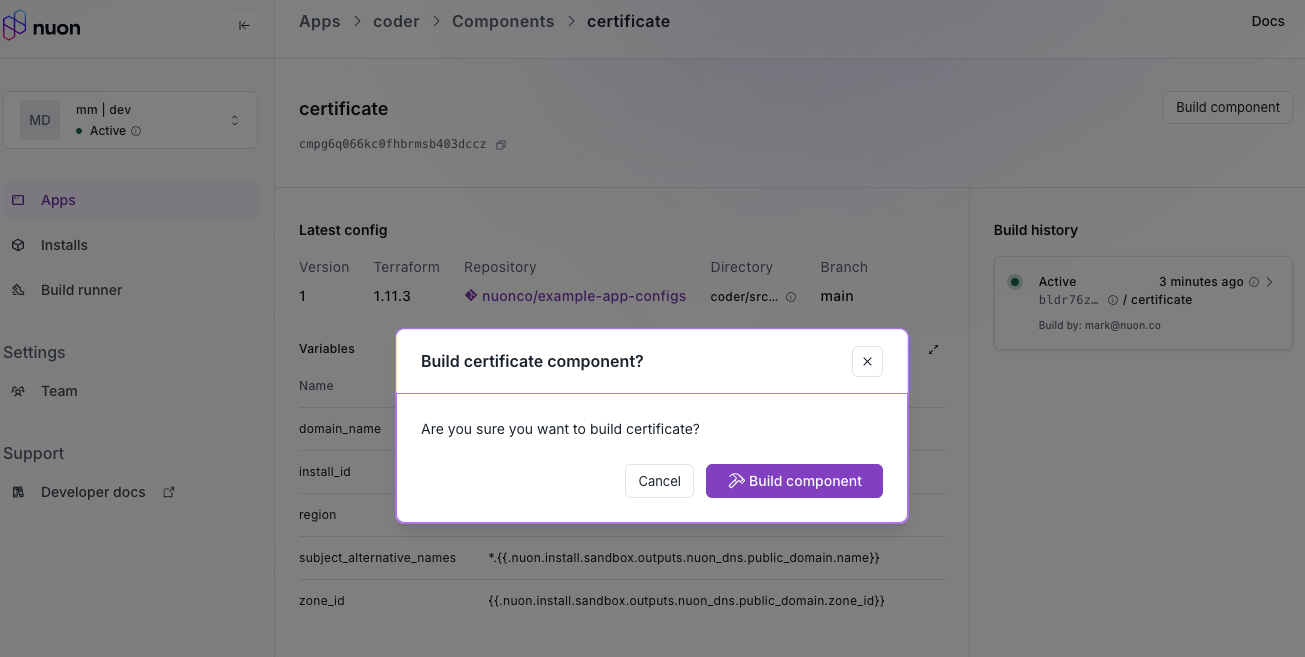
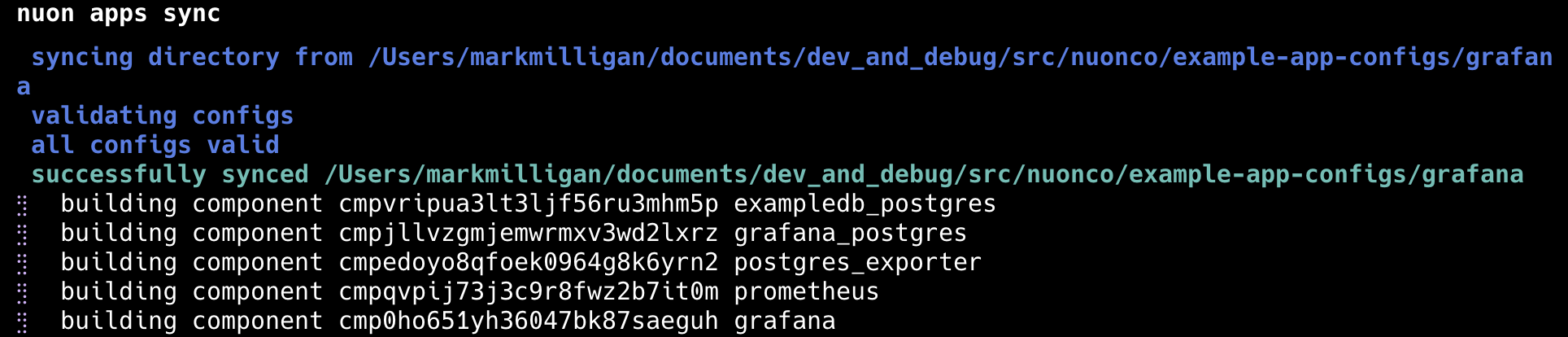 However, you must manually rebuild in the dashboard when:
* Git repository source code changes (e.g., Terraform modules or Helm charts)
* Source code in your app repository changes (push your branch first, then rebuild)
**Tip:** Double-check your branch name in the component TOML file when source is included in your app repo—this is a common oversight.
Remember to run `nuon apps sync` whenever anything in your TOML files changes.
However, you must manually rebuild in the dashboard when:
* Git repository source code changes (e.g., Terraform modules or Helm charts)
* Source code in your app repository changes (push your branch first, then rebuild)
**Tip:** Double-check your branch name in the component TOML file when source is included in your app repo—this is a common oversight.
Remember to run `nuon apps sync` whenever anything in your TOML files changes.
 # Install Life Cycle
## Installs, defined for your customers
Installs into customer cloud accounts are created from apps and inherit the
infrastructure and components defined in the app. When an install is created, it
uses the latest built version of each component.
An install's life cycle is managed by [workflows](../concepts/workflows) that
define the steps to deploy, update, manage, and tear down the install.
# Install Life Cycle
## Installs, defined for your customers
Installs into customer cloud accounts are created from apps and inherit the
infrastructure and components defined in the app. When an install is created, it
uses the latest built version of each component.
An install's life cycle is managed by [workflows](../concepts/workflows) that
define the steps to deploy, update, manage, and tear down the install.
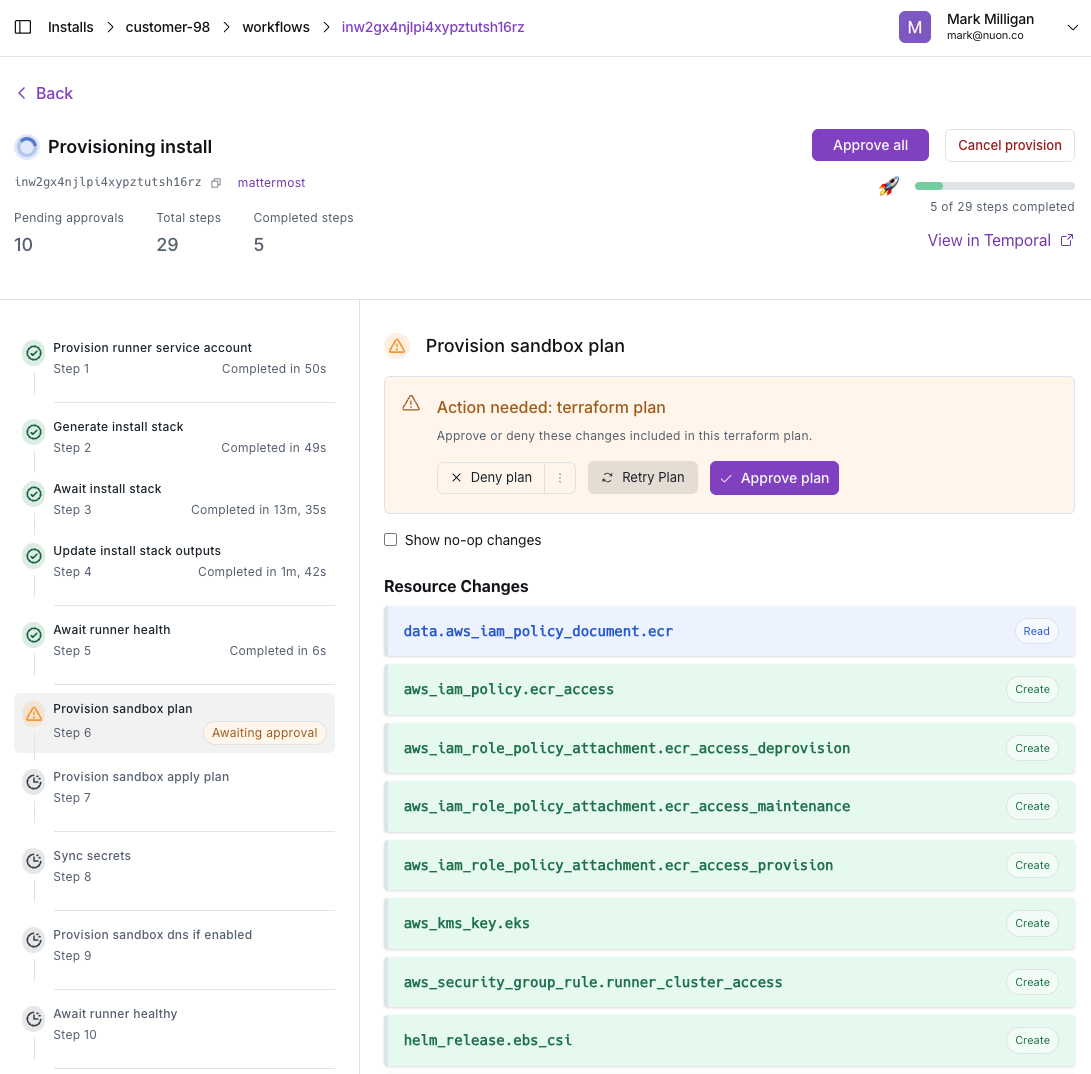
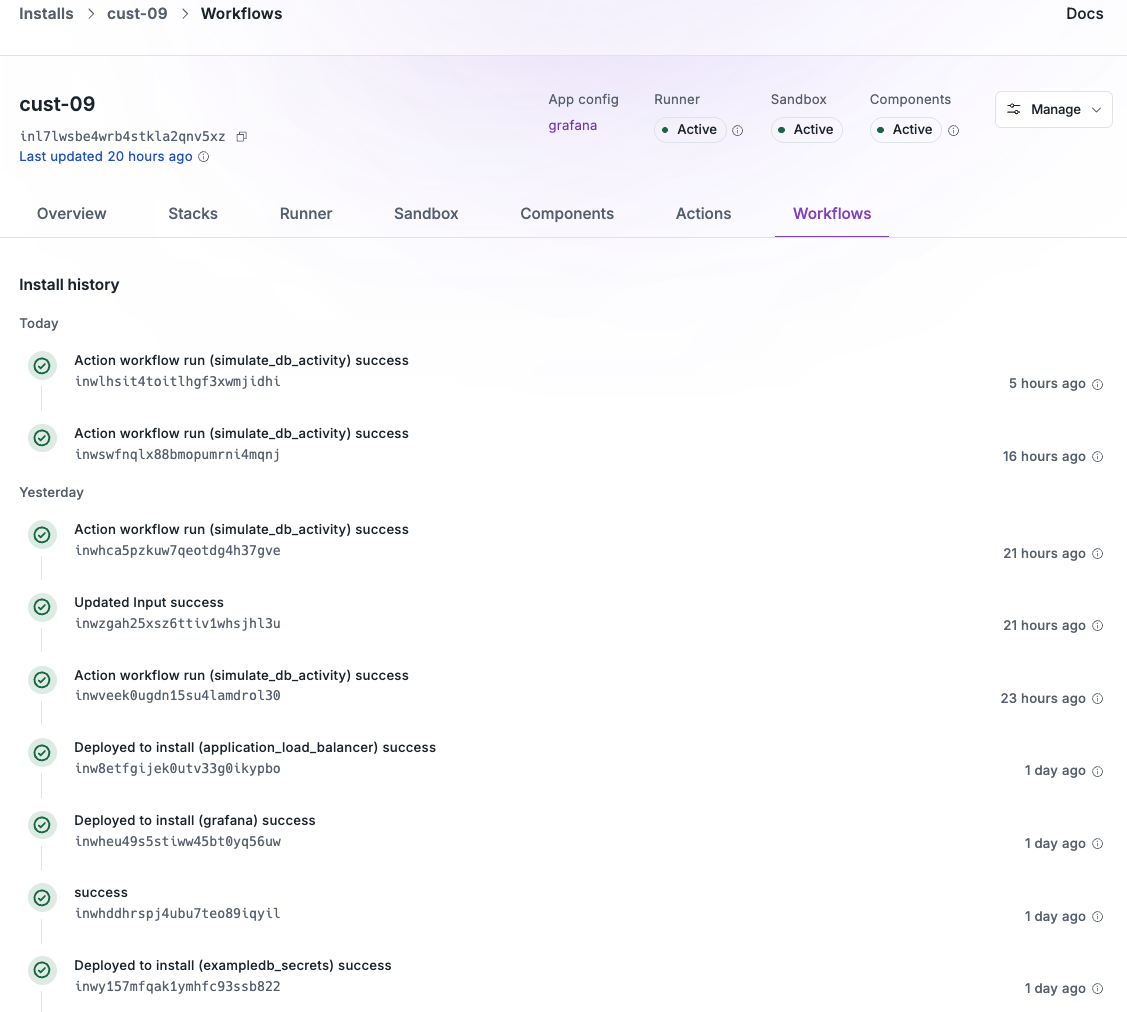 Creating an install starts by providing any inputs defined by the app, such as API keys, cloud region, node instance type, or app release version. This is how you customize installs for each customer.
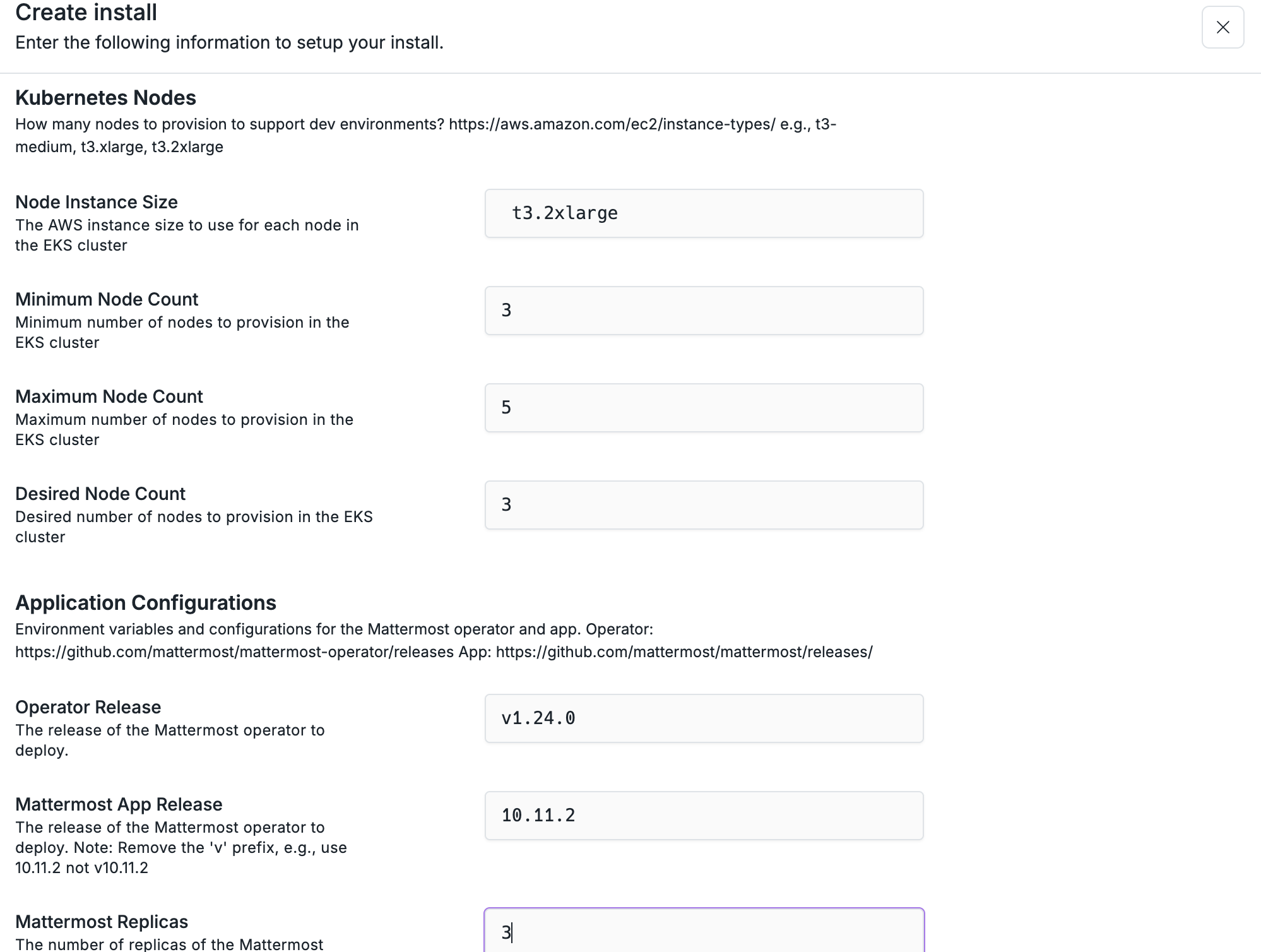 Install workflows deploy the sandbox, components, and actions from your app in sequence.
 ## Update, with change controls
Because apps are git-backed, you can update individual or multiple installs to
the latest release of your app or upgrade components or even infrastructure.
e.g., Kubernetes version.
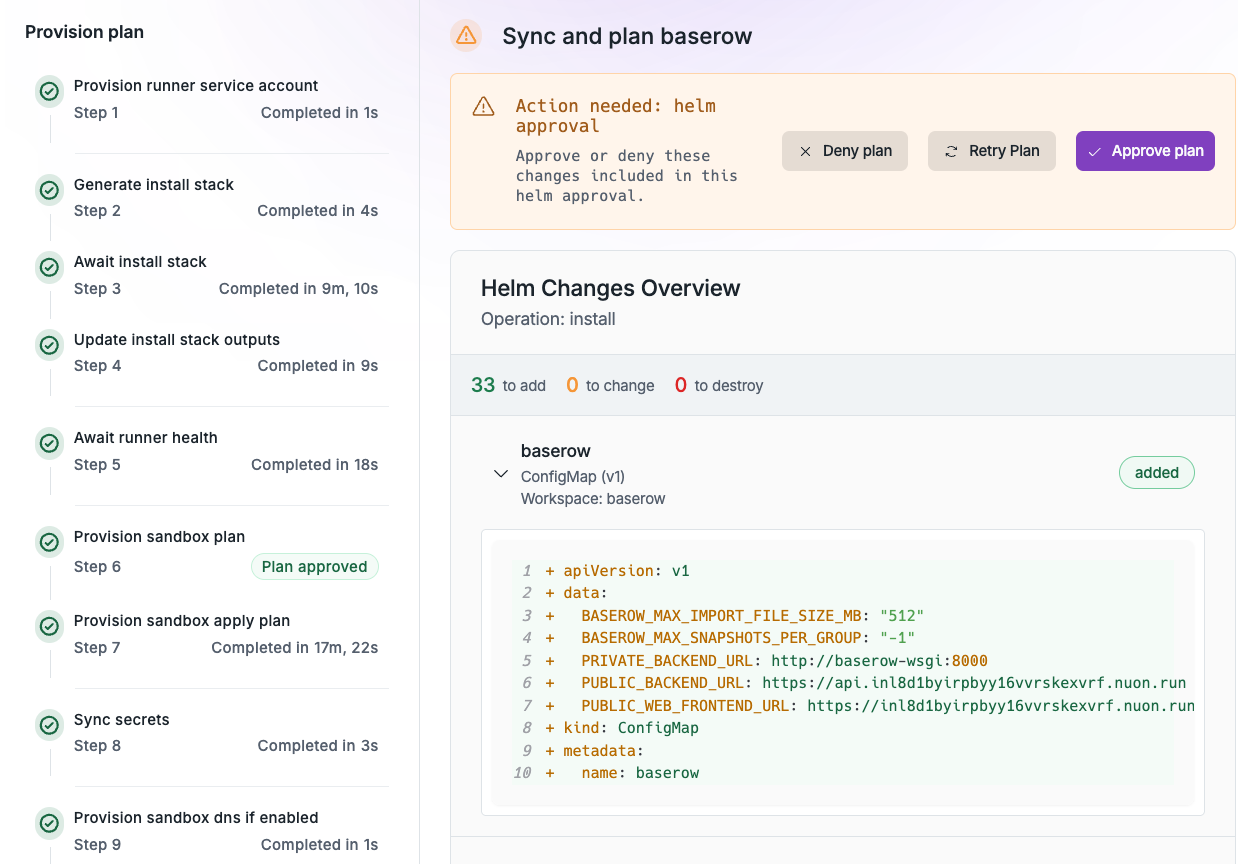
Updates have approval gates by default to ensure changes are reviewed before
being applied to customer installs. e.g., Helm diffs, Terraform plan outputs.
The user can optionally Accept All approvals to streamline the update process.
## Update, with change controls
Because apps are git-backed, you can update individual or multiple installs to
the latest release of your app or upgrade components or even infrastructure.
e.g., Kubernetes version.
Updates have approval gates by default to ensure changes are reviewed before
being applied to customer installs. e.g., Helm diffs, Terraform plan outputs.
The user can optionally Accept All approvals to streamline the update process.
 Kyverno policies can also be applied to installs to enforce security and
compliance during updates. e.g., creating ingress resources or tampering with
container resources requests/limits.
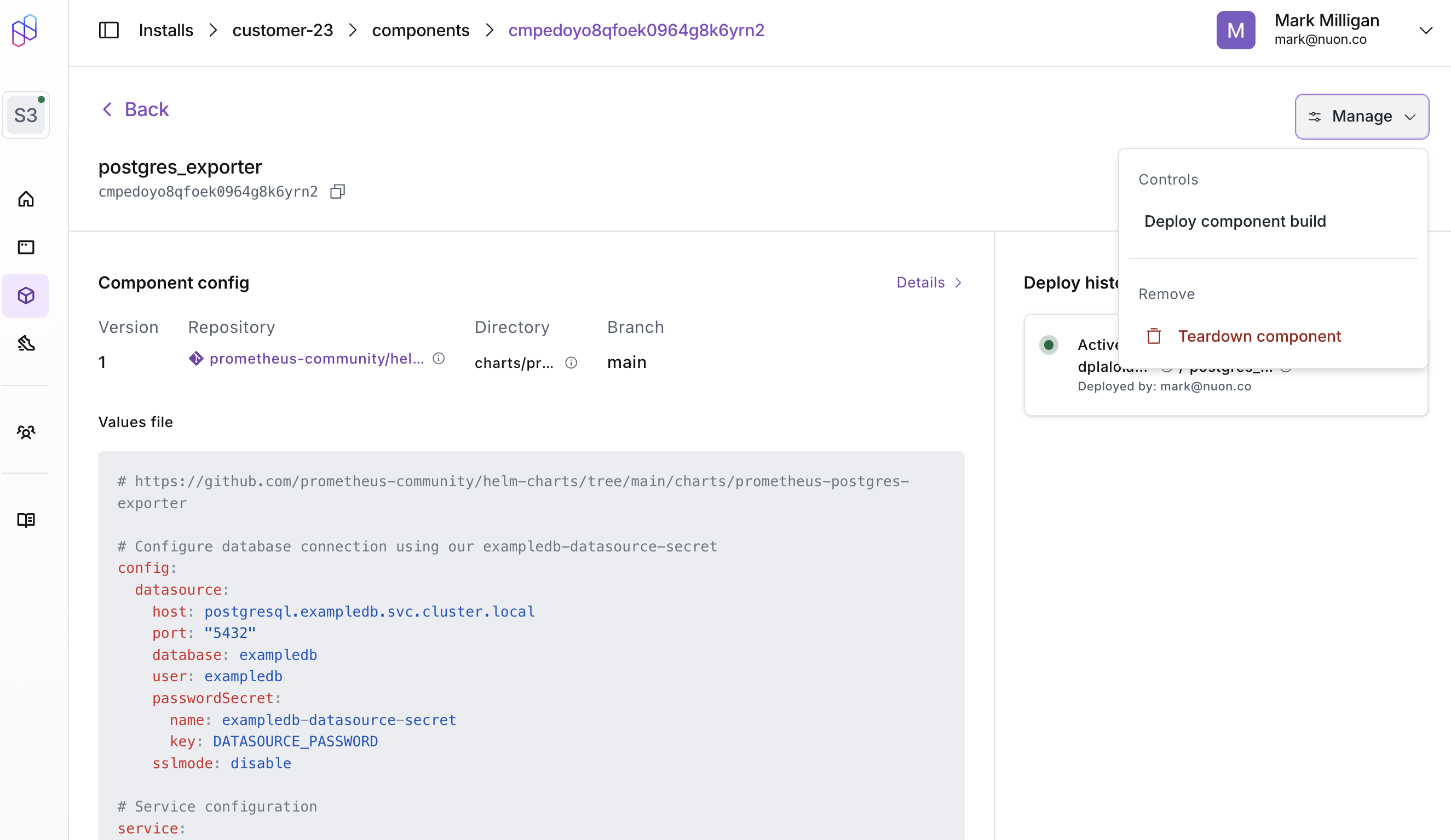
**Critical step:** When you rebuild a component for an app with existing installs, you must manually redeploy that component through the dashboard or the CLI. The install won't receive the changes automatically—this is a common step that gets overlooked.
Kyverno policies can also be applied to installs to enforce security and
compliance during updates. e.g., creating ingress resources or tampering with
container resources requests/limits.
**Critical step:** When you rebuild a component for an app with existing installs, you must manually redeploy that component through the dashboard or the CLI. The install won't receive the changes automatically—this is a common step that gets overlooked.
 ## Monitor and Remediate
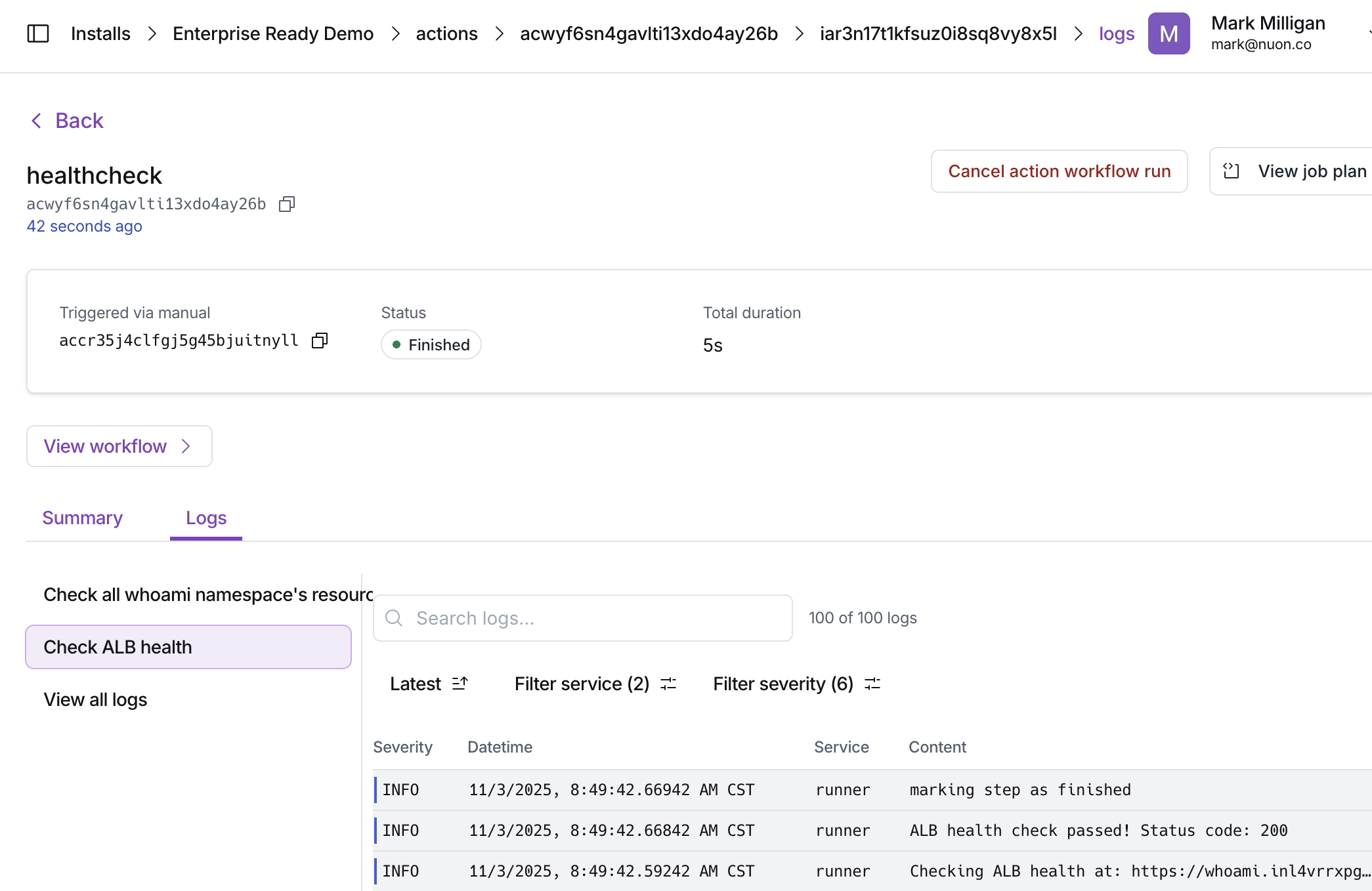
Once deployed, installs can be monitored for health and performance metrics with
actions, bash scripts included in the app. e.g., checking pod status, disk
space, ALB availability, etc.
## Monitor and Remediate
Once deployed, installs can be monitored for health and performance metrics with
actions, bash scripts included in the app. e.g., checking pod status, disk
space, ALB availability, etc.
 Actions can also perform remediation tasks automatically or manually through the
dashboard to resolve issues detected during monitoring.
Actions can also perform remediation tasks automatically or manually through the
dashboard to resolve issues detected during monitoring.
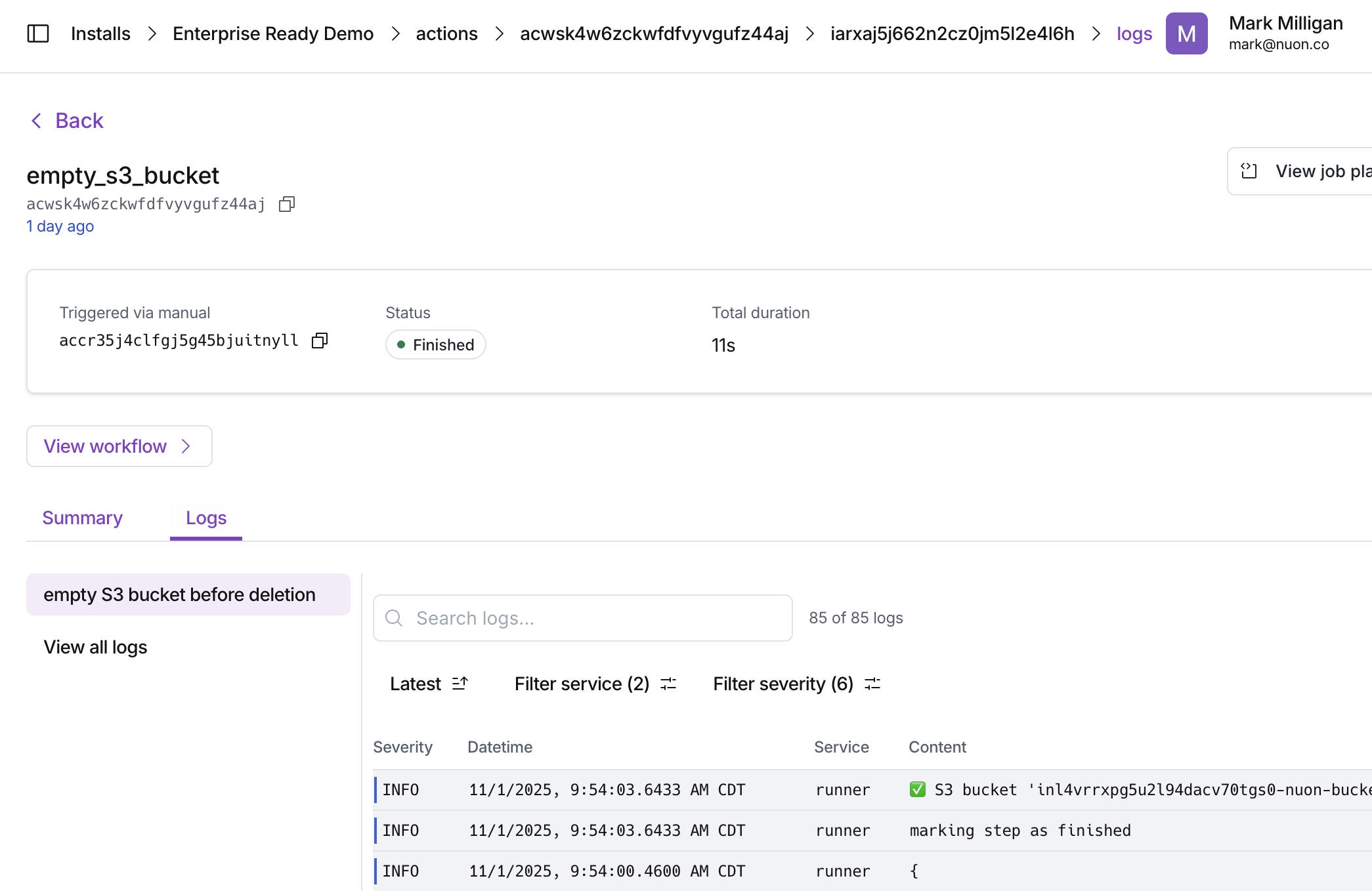 If elevated permissions are required, the user maintaining the install can
request a break glass role with elevated permissions for a limited time to
perform necessary tasks. The end customer approves the request by re-applying
the stack, which updates the permissions in the install's runner.
If elevated permissions are required, the user maintaining the install can
request a break glass role with elevated permissions for a limited time to
perform necessary tasks. The end customer approves the request by re-applying
the stack, which updates the permissions in the install's runner.